
ClawPi knowledge base
Find practical instructions for installing the client and connecting messaging channels. ClawPi organizes materials, digital employees and tasks on your own computer. This public product help center does not store your company's internal documents.
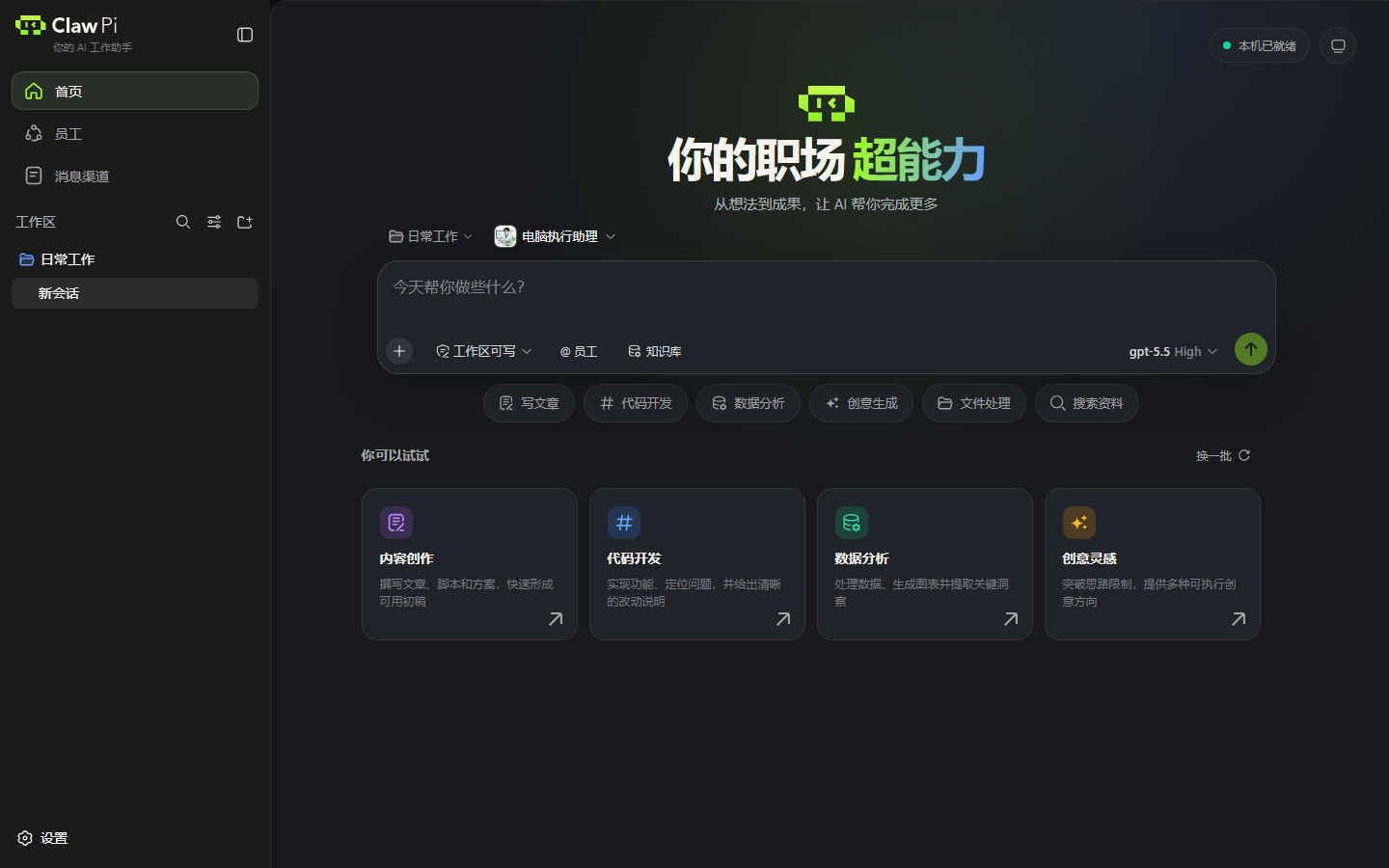
First steps
- Install the client, choosing the package for your computer's processor.
- Complete your first task with a small example that does not touch important files.
- Organize workspaces and conversations by project.
Find instructions by goal
| Your goal | Start here |
|---|---|
| Choose or deploy a digital employee | Digital employees |
| Use company materials in a task | Use a knowledge base |
| Send tasks from your phone | Message channel setup |
| Control your computer from WeChat | Remote computer control |
| Receive generated spreadsheets, reports or images | Files and attachments |
| Check balance, top-ups and charges | Account and usage |
| Diagnose a connection, reply or result problem | Troubleshooting |
Connect messaging channels
Choose your platform: personal WeChat, WeCom or Feishu. After connecting an account, approve sender pairing on the computer and bind a workspace. A Connected status does not authorize everyone.
Installation and versions
The download page lists available packages for each platform. Windows and different Mac processors can have different versions. Interface examples show ClawPi 0.1.44; button locations and capabilities depend on your installed version and its prompts. Read Install and update before upgrading.
Workbench reference
Workspaces organize projects, Employees selects a task role, Knowledge base provides searchable materials, and Message channels connects external chats to this computer. Adding a channel account does not create a document library.
Account and help
The client uses the models and balance provided by your account service. The website workbench is an interface demonstration. The trial entry indicates whether the web trial is open. Account and usage explains the distinction.
Troubleshooting
Use the troubleshooting table to check installation, login, account connection, pairing, execution and delivery in order. You can also search for keywords from an error message using the search button above.